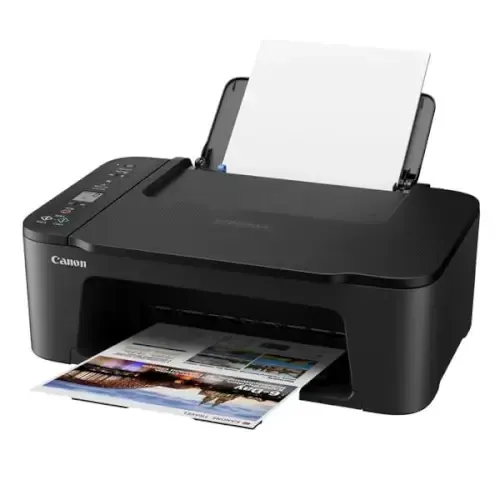
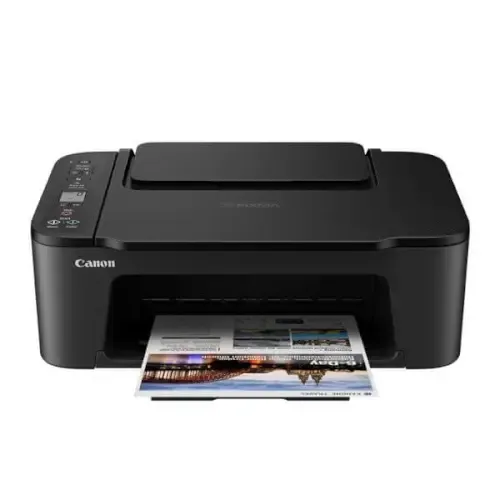
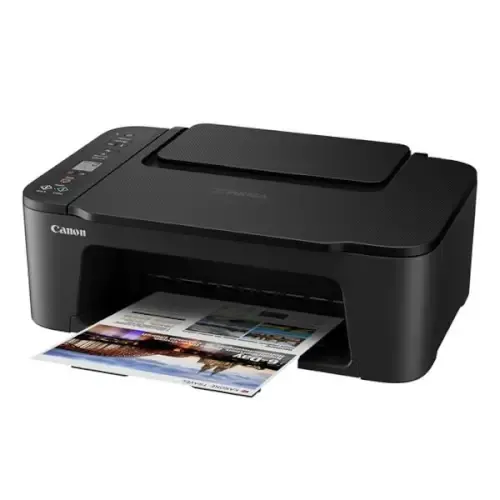
General Specifications
-
Model Numbers
PIXMA TS3450 (Black), PIXMA TS3451 (White), PIXMA TS3452 (Black & White)1
-
Functions
Wi-Fi, Print, Copy, Scan, Cloud
Printer Specifications
-
Print Resolution
Up to 4800 2 x 1200 dpi Up to 4800 {foot} x 1200 dpi
-
Print Technology
2 FINE Cartridges (Black and Colour)
-
Mono Print Speed
Approx. 7.7 ipm 3
-
Colour Print Speed
Approx. 4.0 ipm 4
-
Photo Print Speed
Borderless 10x15cm : Approx. 65 seconds 5
-
Borderless Printing
Yes, 13x18cm(5”x7”), 10x15cm (4”x6”), 13x13cm (5”x5”)
-
Two Sided Printing
Manual operation
Cartridges and Yields
-
Standard Ink Cartridges
PG-545 (Black)
CL-546 (Colour) -
Optional XL Ink Cartridges
PG-545XL (Black)
CL-546XL (Colour) -
Cartridge Yield (Plain Paper)
A4 colour documents printing 6
Black: 180 pages
Black XL: 400 pages
Colour: 180 pages
Colour XL: 300 pages -
Cartridge Yield (Photo)
10x15cm photo 7
Black: 1445* photos
Black XL: 3520* photos
Colour: 55 photos
Colour XL: 90 photos
* Estimated supplemental yield
Paper Support
-
Paper Types
Plain Paper
Photo Paper Plus Glossy II (PP-201)
Photo Paper Glossy "Everyday Use" (GP-501)
Magnetic Photo Paper (MG-101)
Restickable Photo Paper (RP-101)
Canon Red Label Superior (WOP111)
Canon Oce Office Colour Paper (SAT213) -
Maximum Paper Input
Rear tray: Max. 60 sheets (plain paper)
-
Paper Sizes
Plain paper: A4, A5, B5, Letter, Legal
Photo paper: 13x18cm (5”x7”), 10x15cm (4”x6”), 13x13cm (5”x5”)
[Custom size] width 89 mm - 215.9 mm, length 127 mm - 676 mm -
Paper Weight
Plain paper: 64 - 105 g/m²
Canon photo paper: up to 275 g/m²
Scanner Specifications
-
Scanner Type
CIS flatbed photo and document scanner
-
Scanner Resolution (Optical)
600 x 1200 dpi 8
-
Scanning Depth (Input / Output)
Colour: RGB each 16bit/8bit
Greyscale: 16 bit / 8 bit -
Maximum Document Size
A4/LTR (216 x 297 mm)
Copier Specifications
-
Copy Speed
-
Multiple Copy
20 copies (max.)
-
Copy Functions
Document copy, Borderless copy
-
Copy Zoom
Fit to page 11
-
Document Size
216 x 297 mm
Interface
-
Display Type & Size
1.5” (3.8cm) LCD segment mono
-
Interface
Hi-Speed USB (B Port)
Wi-Fi: IEEE802.11 b/g/n
Wi-Fi Security: WPA-PSK, WPA2-PSK, WEP
Wireless LAN Frequency Band: 2.4GHz -
Print Applications & Methods
Canon PRINT Inkjet/SELPHY app
Easy-PhotoPrint Editor
PIXMA Cloud Link
Canon Print Service Plugin (Android)
Apple AirPrint
Wireless Direct (Access Point Mode only)
WLAN PictBridge
Mopria (Android) -
Smart Assistant & Automation Support
Software
-
Supported Operating Systems
Windows 10、Windows 8.1、Windows 7 SP1
Operation can only be guaranteed on a PC with pre-installed Windows 7 or later.
macOS 10.12. 6 ~macOS 10.15, macOS 11 * -
Supported Mobile Systems
iOS, iPadOS, Android, ChromeOS
-
Minimum System Requirements
Display: 1024 x 768 XGA
Installation: Internet, CD-ROM (Windows) -
Software Included
MP Driver including Scanning Utility
Easy-PhotoPrint Editor (download)
Physical Features
-
Weight
approx. 4 kg
-
Dimensions (W x D x H)
approx. 435 x 327 x 145 mm
-
Acoustic Noise Levels
approx. 48.0 dB(A) 14
-
Recommended Operating Environment
Temperature: 15-30°C
Humidity: 10-80%RH (no dew condensation) -
Power Source
AC 100-240V, 50/60Hz
-
Power Consumption
Off: Approx. 0.3 W
Standby (connected to PC via USB): Approx. 0.8 W (scanning lamp off)
Standby (all ports connected): Approx. 1.3 W (scanning lamp is off)
Time to enter Standby mode: 10 min 01 sec
Copying: Approx. 9 W 15